Decoding JWT in the Browser: Why the Secret Doesn't Matter Here
JWT is signed, not encrypted. Understand what you can inspect without any key, and when it's safe to do this client-side.
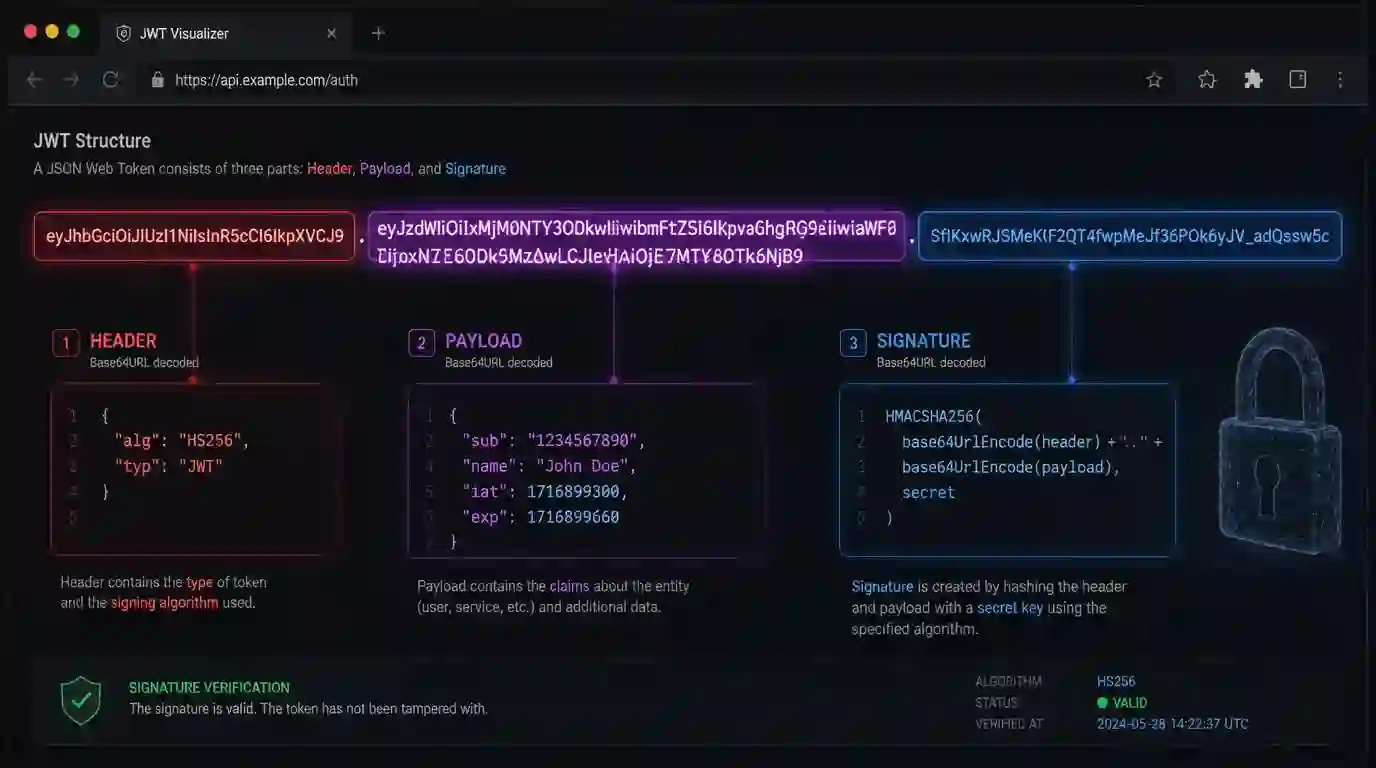
Every week someone opens an issue asking if it's safe to decode JWT tokens in the client — and the answer surprises those who expect a "it depends." Spoiler: for inspecting the payload, it depends very little.
This post explains why, shows how to do it in the browser in seven lines of JavaScript, and lists where things change.
Anatomy of a JWT
A JWT is just three Base64URL strings separated by dots:
eyJhbGciOiJIUzI1NiJ9.eyJzdWIiOiIxMjM0In0.SflKxwRJSMeKKF2QT4fwpMeJf36POk6yJV_adQssw5c
The first is the header (algorithm, type). The second is the payload (your claims). The third is the signature — calculated from the first two plus a secret.
Notice: none of the parts are encrypted. Base64URL isn't encryption, it's just a way to pack bytes into URL-safe ASCII. Anyone who has the token can read the payload. Anyone. Including you, without needing any key.
Decode ≠ Verify
Here's the confusion I see every day:
Decoding a JWT tells you what it claims. Verifying tells you whether you can trust it.
These are completely different operations. Decoding requires zero secrets — anyone can do it, and there's nothing wrong with that. Verifying requires the shared key (HMAC) or public key (RSA/ECDSA), and should ideally happen on the server.
Mixing the two is the root of most security bugs with JWT. The claim { "sub": "12345", "role": "admin" } is worthless if you haven't verified the signature before trusting it.
Doing this in the browser
The Quick Tools JWT decoder does literally this:
function decodeJwt(token) {
  const [h, p] = token.split('.');
  return {
    header:  JSON.parse(atob(h.replace(/-/g, '+').replace(/_/g, '/'))),
    payload: JSON.parse(atob(p.replace(/-/g, '+').replace(/_/g, '/'))),
  };
}
Seven lines, zero dependencies, zero network. The token never leaves your browser — it doesn't need to, because any interested party can already read it too.
Why does atob need the replace?
Base64URL replaces + with - and / with _ to survive inside URLs without encoding. atob only understands canonical Base64 (RFC 4648), so we undo the swap before decoding. It's a detail that comes up every time someone tries to implement this from scratch without reading the spec.
What's in the payload?
Typically: sub (subject — who the user is), iat (issued at), exp (expiration), and the custom claims your application defined. All of this is readable without any key. That's why never put sensitive information in the payload — card data, temporary passwords, anything that shouldn't be read by any intermediary.
What you should NOT do
- Trust the payload without verifying the signature on the backend. Anyone can forge claims; only the signature guarantees authenticity.
- Store HMAC secrets in the client. If the key is in the JavaScript bundle, it's effectively public.
- Paste production tokens into online tools that make server requests. You don't know what they do with the token. Use client-only tools — that's exactly what they're for.
- Use the
nonealgorithm. Some older libraries accepted JWTs without a signature. If your version allows this, update now.
Decode with confidence, verify on the backend
Decoding JWT in the browser is safe and useful for debugging, logging, and showing information to the user (like display name or permissions). Verifying JWT in the browser is almost always a symptom of an architecture that should move this logic to the backend.
The rule is simple: decoding is presentation, verification is authorization. Never make access decisions based on a token that was only decoded, not verified.
What can and can't be done in the browser
Decoding JWT in the browser is safe when the goal is to inspect header and payload. This data is already in the token and requires no secret to read. It's useful for checking exp, iat, aud, iss, roles, and custom claims during debugging.
What should not happen in the browser is trust validation. The signature needs to be verified on the backend or in an environment where the public key/secret and permission rules are under control. A user can locally alter the payload; without signature validation, the content proves nothing.
Debug checklist
When inspecting a token, first check the algorithm, then issuer, audience, and expiration. Verify whether the time is in epoch seconds, not milliseconds. Then confirm whether the claims used by the interface are only informational. Real authorization should come from a server response.
Use the JWT Decoder to read the token without sending it to third parties. Even so, avoid pasting real production tokens if they're still valid.
- 01 UTF-8 and encoding problems: why accents break and how to fix them What UTF-8 is, code points, mojibake, and why accented text turns to garbage — the mechanism explained end to end.
- 02 MIT, Apache, and GPL Licenses: Practical Differences for Developers MIT, Apache 2.0, and GPL are not the same thing. Understand permissive vs copyleft, patent protection, and compatibility before shipping code to production.