Five Regular Expressions Worth Memorizing
Email, slug, phone, hex color, and ISO dates — pasted, commented, and ready to use in your validator.
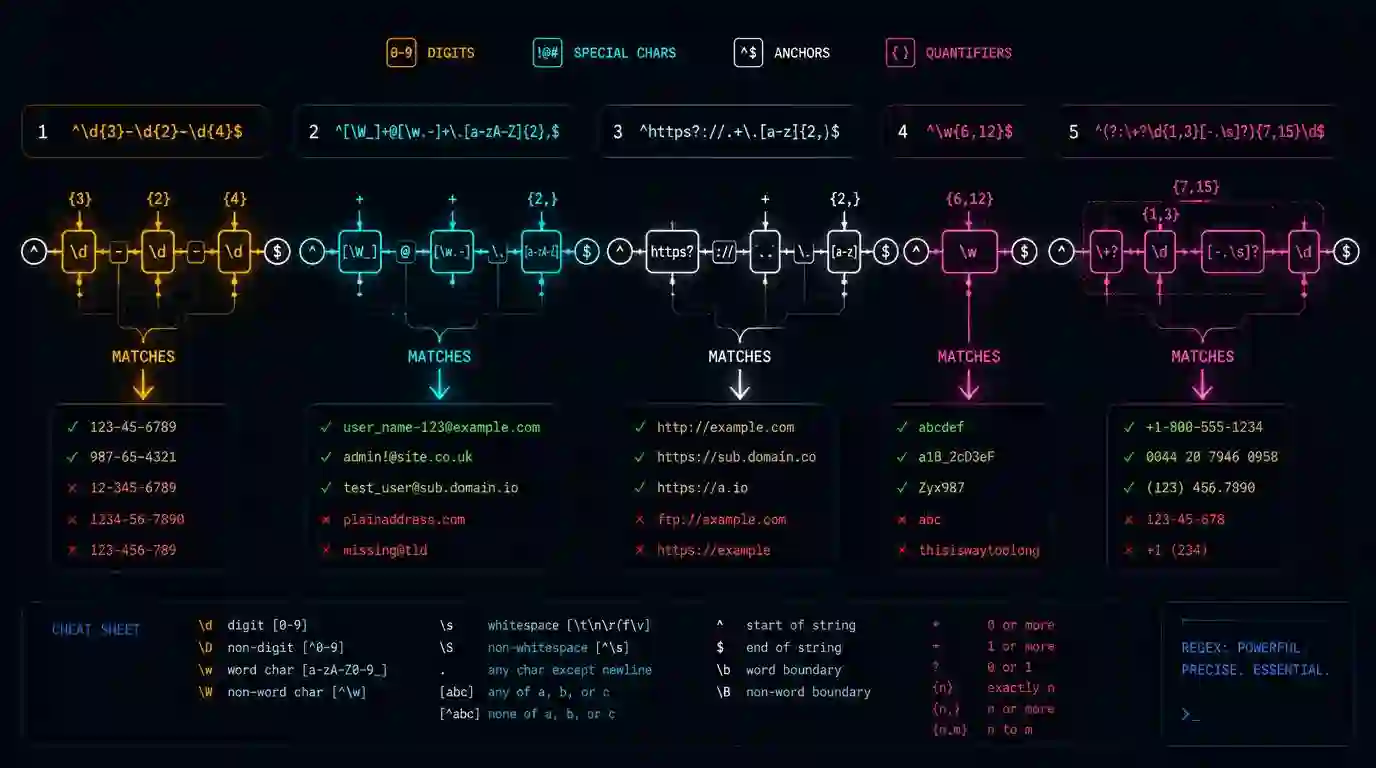
Regex is one of those skills every dev learns once, gets wrong in the first production version, and then spends the next years copying from Stack Overflow. This post is to help you memorize the five you'll actually use.
Five patterns, each with the exact expression, an explanation of what it does, and a real use case.
^[a-zA-Z0-9._%+\-]+@[a-zA-Z0-9.\-]+\.[a-zA-Z]{2,}$
Validates the basic email format. Doesn't try to follow the full RFC 5321 (which would allow "user name"@example.com) — that level of fidelity rarely makes sense in forms.
What each part does: [a-zA-Z0-9._%+\-]+ captures the local part (everything before @). [a-zA-Z0-9.\-]+ captures the domain. \.[a-zA-Z]{2,}$ requires a TLD of at least 2 chars.
Known limitation: doesn't validate domain existence. Use this as a first barrier, not as the only validation.
URL slug
^[a-z0-9]+(?:-[a-z0-9]+)*$
Validates slugs in the format hyphenated-words-like-this. Starts and ends with alphanumeric, hyphens only between segments. Doesn't accept --double or -hyphens-at-the-edges-.
Typical use: validating blog post slugs, URL IDs, product keys before persisting.
Phone number (US/international)
^\+?[1-9]\d{1,14}$
Validates E.164 international format. Accepts numbers from 2 to 15 digits with optional + prefix. For specific country formats (US, UK, etc.), use country-specific patterns.
Test before using in production with the Quick Tools Regex Tester — especially on edge cases with spaces and parentheses.
Hex color
^#([0-9A-Fa-f]{3}|[0-9A-Fa-f]{6})$
Accepts #rgb and #rrggbb. Doesn't accept #rgba or #rrggbbaa (8 chars) — if you need alpha, add |[0-9A-Fa-f]{8} to the pattern.
Simple, but surprising: most implementations forget the required # or don't handle uppercase letters.
Date in ISO 8601 format
^\d{4}-(0[1-9]|1[0-2])-(0[1-9]|[12]\d|3[01])$
Validates YYYY-MM-DD with month and day within valid ranges. Doesn't validate impossible days like 2026-02-30 — for that, parse the string with new Date() and check whether the result is Invalid Date.
This separation of responsibilities is intentional: regex validates format, code validates semantics.
Using with confidence
Regex doesn't replace semantic validation or existence checking. Use them as a first filtering layer — to fail fast before processing clearly invalid data. Real validation (email exists? date makes sense? is the ID valid?) always needs code beyond the pattern.
To test any of these expressions with your real data, the Regex Tester shows matches in real time with group highlighting.
How to test regex without falling into false positives
A regex looks correct when it passes the happy path example. The problem appears in cases that should fail. For each pattern, maintain two lists: valid inputs and invalid inputs. For email, test domain without TLD, spaces, accents, and colons. For slug, test double hyphen, leading hyphen, and uppercase. For date, test month 13 and day 00.
Also observe whether the regex is anchored with ^ and $. Without anchors, it may accept an entire string just because it found a valid segment within it. This is one of the most common causes of overly permissive validation.
Production checklist
Before putting a regex in production, define what it doesn't intend to validate. The email regex validates format, not existence. The date regex validates structure, not the full calendar. The phone regex accepts common formats, but doesn't guarantee the number exists.
Test the patterns in the Regex Tester, save input examples, and turn the main cases into automated tests. Regex without tests quickly becomes tribal knowledge.
Frequently asked questions
Should regex validate everything?
No. Use regex to reject obviously invalid inputs and leave semantic validation for specialized code.
Review before merge
In code review, ask for real examples alongside the regex. A pattern without samples is hard to evaluate. Good examples show valid inputs, invalid inputs, and edge cases. This reduces the chance of a regex working on the happy path and silently failing in production.
Security and performance
Avoid overly complex regex on large inputs without testing performance. Some patterns with repeated groups can cause expensive backtracking. When input comes from users, prefer simple patterns, size limits, and staged validation.
- 01 UTF-8 and encoding problems: why accents break and how to fix them What UTF-8 is, code points, mojibake, and why accented text turns to garbage — the mechanism explained end to end.
- 02 MIT, Apache, and GPL Licenses: Practical Differences for Developers MIT, Apache 2.0, and GPL are not the same thing. Understand permissive vs copyleft, patent protection, and compatibility before shipping code to production.