Timestamps Without Timezone: The Migration That Took Three Weeks
The silent mistake of storing datetimes without a timezone: how it happens, why nobody notices, and how to avoid the painful migration.
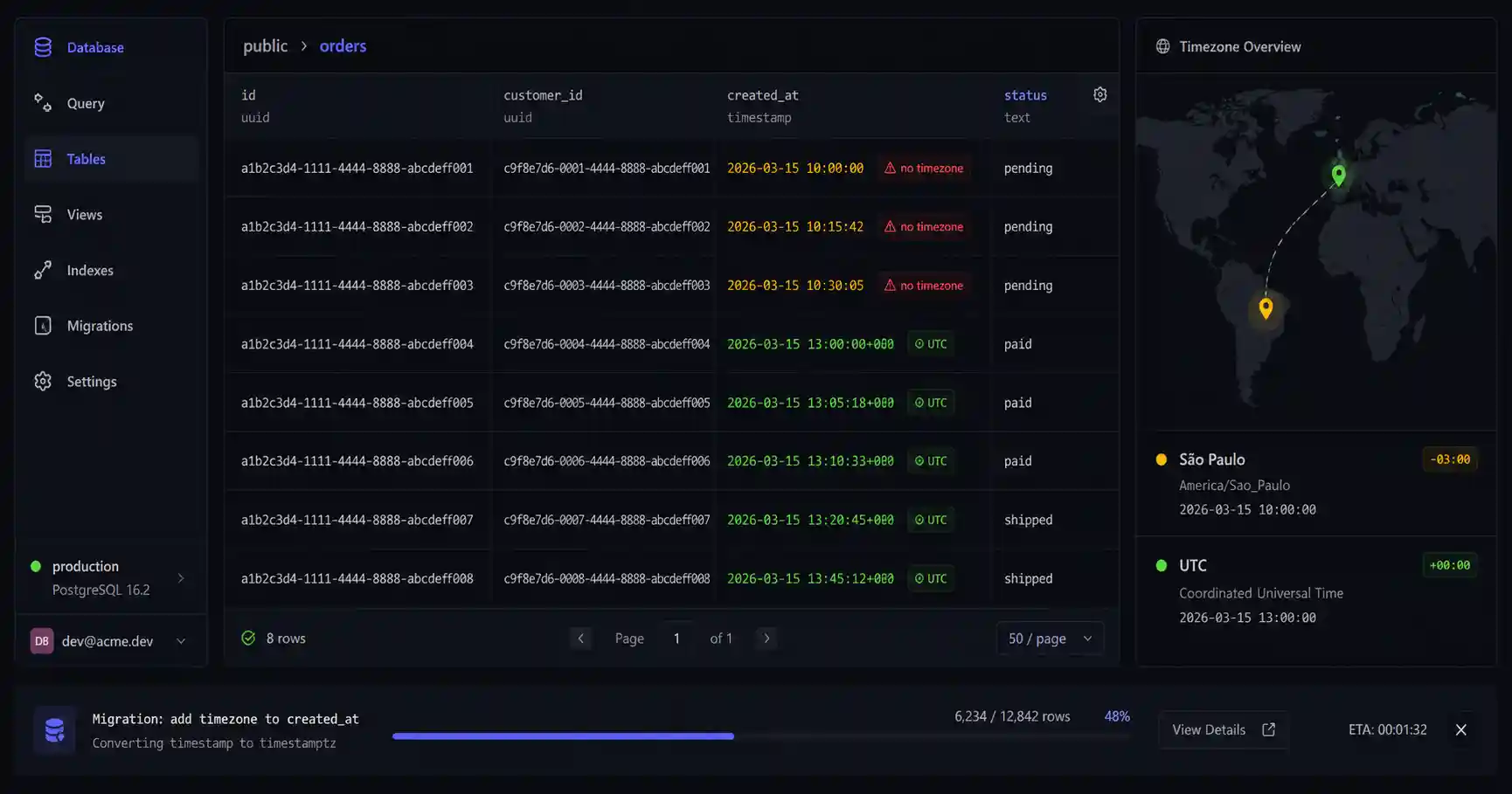
I worked on a system that stored timestamps without timezone for two years. The migration took three weeks. It didn't have to be that way.
The system was in production, had historical data, had reports that depended on created_at, had customers in New York and London who saw different times without understanding why. There was no error in the log. The database accepted it, the application accepted it, the ORM accepted it. The problem was silent because it was never a bug — it was an assumption.
This post is about that assumption, why it destroys data, and how to avoid the three-week migration.
What happens when you don't specify timezone
When you create a DATETIME column in MySQL or TIMESTAMP WITHOUT TIME ZONE in PostgreSQL (which is the default when you just write TIMESTAMP), you're telling the database: "store this number, but don't worry about timezone."
The database obeys. It stores exactly what you sent — without converting, without normalizing, without complaining. If the application sent 2026-03-15 10:00:00, the database stores 2026-03-15 10:00:00. Period.
The problem starts when you ask "10am where?".
If the application runs on a UTC server, 10:00:00 is UTC. If the server changes to a container on AWS with timezone America/New_York, 10:00:00 becomes EST — and all the old records, which were stored in UTC, now appear to be in EST. The database doesn't know the difference. You just corrupted your historical data perception without changing a single row.
The silent assumption
The problem isn't technical — it's semantic. A datetime without timezone carries an implicit assumption: "whoever reads it knows what timezone it's in." While the system has a single region, a single server, and everyone is on the same team, the assumption holds. When any of those conditions change, it breaks.
In the system I worked on, the assumption was "everything is in server local time." It worked for two years because the server and all users were in the same region. Then the company grew, migrated infrastructure to cloud, containers came up with UTC timezone, and "orders today" reports started showing three hours less.
Nobody touched the table. Nobody changed the query. The problem arose from an infrastructure change that had nothing to do with the database.
TIMESTAMP WITH TIME ZONE solves it — but has nuance
In PostgreSQL, TIMESTAMPTZ (alias for TIMESTAMP WITH TIME ZONE) normalizes everything to UTC internally and converts to the session timezone on read. This means:
-- Session with timezone America/New_York
INSERT INTO events (created_at) VALUES ('2026-03-15 10:00:00');

-- Database stores 2026-03-15 15:00:00 UTC internally
-- On read with UTC session, returns 2026-03-15 15:00:00+00
-- On read with America/New_York session, returns 2026-03-15 10:00:00-05
The assumption stops being silent — it becomes explicit in the session timezone. You're in control. If you always want UTC on read, configure SET timezone = 'UTC' on the connection.
In MySQL, the equivalent is DATETIME with manual UTC storage in the application, or using the native TIMESTAMP column (which has timezone support but has a range limitation until 2038 — the Unix epoch problem). For new MySQL systems, the most solid convention is storing as BIGINT in Unix epoch (milliseconds) and resolving the display in the application.
The migration that shouldn't exist
When you need to migrate a table from TIMESTAMP WITHOUT TIME ZONE to TIMESTAMPTZ with historical data, the process is:
- Discover what timezone historical data was being stored in (pray it's documented somewhere)
- Convert each row by multiplying by the timezone assumption
- Validate that historical reports match what was there before
- Change the application timezone to UTC consistently
Step 1 was what took three weeks in my case. The system had gone through two server migrations, the README didn't mention timezone anywhere, and there was a six-month period where data was stored in UTC by accident during a deploy. We had to audit the timestamps by comparing with application logs to figure out which was which.
-- Example migration when you know data is in EST (UTC-5)
ALTER TABLE orders
  ALTER COLUMN created_at TYPE TIMESTAMPTZ
  USING created_at AT TIME ZONE 'America/New_York';
Looks simple. It's not simple when you don't know the source timezone.
Inspecting timestamps before storing
Part of the problem is that timestamps are opaque — a Unix epoch like 1747900800 says nothing at first glance. Before any storage decision, it's worth checking what the value represents in different timezones.
For this I use the Timestamp Converter — you paste the epoch and see the date in UTC, your local time, and in any timezone you want. Especially useful when you're debugging historical data and need to confirm whether 1620000000 is morning or afternoon in your timezone.
The rule that prevents the migration
Always store in UTC. Display in the user's timezone. Never store in the server's timezone.
It's simple to state and easy to get wrong in practice because ORMs and frameworks don't always make clear what they're doing. Django with USE_TZ = True converts automatically to UTC. Rails with config.time_zone can mislead you if you don't understand the difference between Time.now and Time.current. Node with new Date() returns UTC by default but serializes in ISO 8601 with offset — which may or may not be preserved depending on the database driver.
The check I do before any new model:
-- PostgreSQL: always use TIMESTAMPTZ
created_at TIMESTAMPTZ NOT NULL DEFAULT NOW(),
updated_at TIMESTAMPTZ NOT NULL DEFAULT NOW()

-- Check connection timezone before writing
SHOW timezone;
-- should return UTC in production
And in postgresql.conf or the connection string:
timezone = UTC
Not as a suggestion. As a mandatory production environment configuration.
What remains when you ignore this
Data without timezone is not neutral data — it's data with an implicit, undocumented timezone. While the system is small and homogeneous, the assumption holds. When it scales, when the server changes, when it receives users from other timezones, when someone runs a query directly on the database on a laptop with a different timezone — the bill comes due.
The three-week migration was expensive. More expensive was the period before it, when reports were wrong and nobody knew.
- 01 UTF-8 and encoding problems: why accents break and how to fix them What UTF-8 is, code points, mojibake, and why accented text turns to garbage — the mechanism explained end to end.
- 02 MIT, Apache, and GPL Licenses: Practical Differences for Developers MIT, Apache 2.0, and GPL are not the same thing. Understand permissive vs copyleft, patent protection, and compatibility before shipping code to production.