Public, Private, Static, and Dynamic IP: What's the Difference?
RFC 1918, NAT, and DHCP explained clearly: what separates public from private IPs and why confusing static with dynamic takes production servers down.
Someone on the support team asks: "why can't the client reach the server by IP?" You ask which IP. The answer is "the one on their machine." That kind of confusion costs hours and, sometimes, an unnecessary ticket with the provider.
Four IP concepts generate more confusion than they should: public, private, static, and dynamic. They are not mutually exclusive — an IP can be both public and dynamic at the same time, or private and static. Mixing up these two axes is where the trouble lives.
This post resolves all four at once. If you've already read about IPv4 and IPv6, this is the natural companion — here the focus is on address behavior, not format.
Public vs. private: two completely separate address planes
This distinction exists because IPv4 has a chronic scarcity problem. With only ~4.3 billion addresses for billions of devices, the solution was to reserve address ranges for internal use — not routable over the internet.
RFC 1918 defines three private IP ranges:
10.0.0.0    – 10.255.255.255   (10.0.0.0/8)      → ~16 million addresses
172.16.0.0  – 172.31.255.255   (172.16.0.0/12)   → ~1 million addresses
192.168.0.0 – 192.168.255.255  (192.168.0.0/16)  → ~65 thousand addresses
Any address outside these ranges (and a few other reserved blocks) is considered public.
What separates the two worlds is routing. A packet destined for 192.168.1.100 never leaves the local network — the router drops it before sending it to the internet because it knows no external router would know what to do with it. A packet destined for 189.28.90.1, on the other hand, traverses the internet normally.
How your home network works
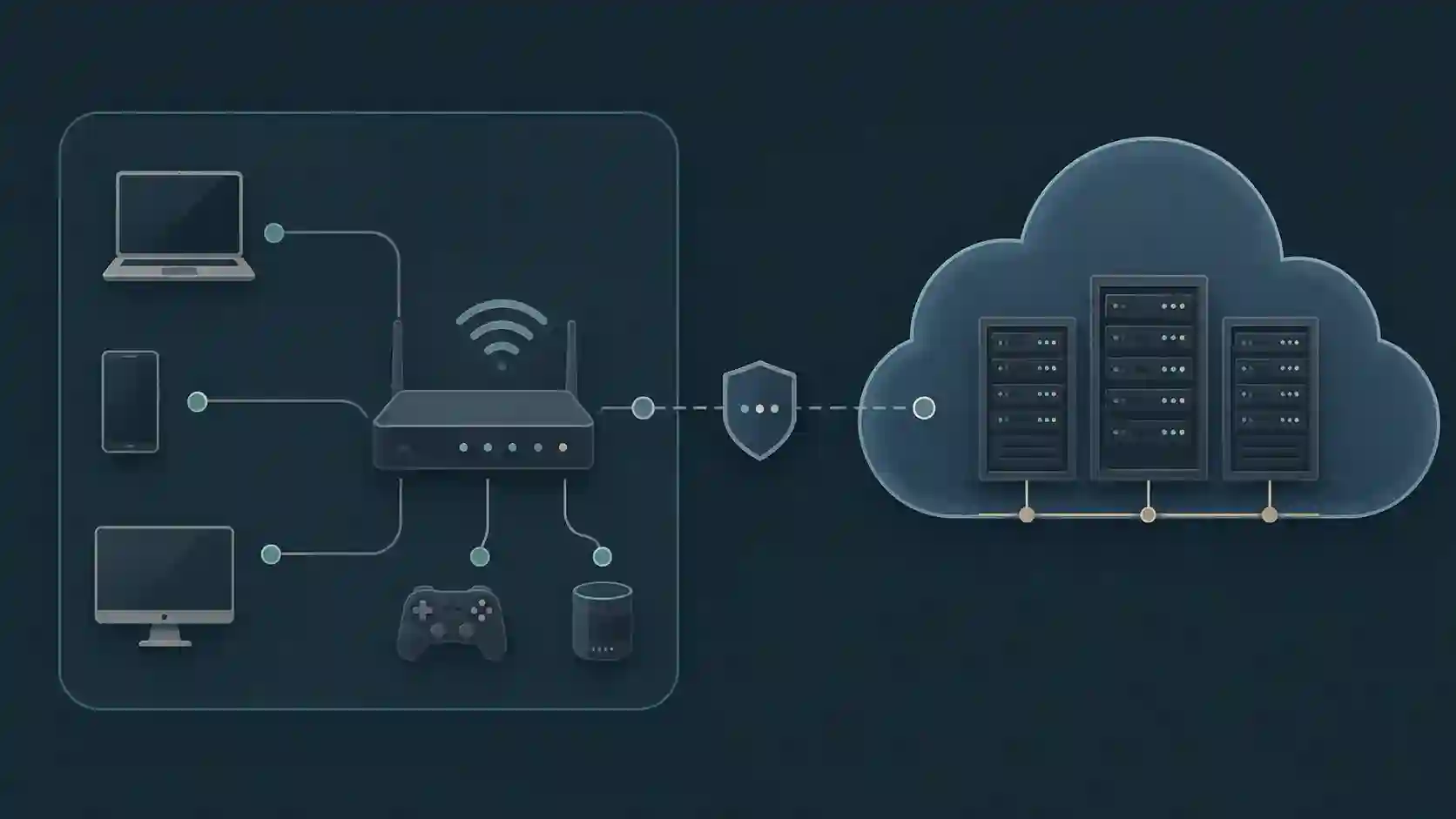
Your home network runs two address planes simultaneously:
- The modem/router receives one public IP from the ISP (on the WAN side)
- Each internal device receives a private IP via DHCP (typically
192.168.x.x)
When you open a website, the packet leaves your laptop (192.168.1.5), reaches the router, which replaces the source address with the public IP before sending it to the internet. This mechanism is NAT (Network Address Translation) — which is why dozens of devices at home share a single public IP.
The practical consequence: nobody on the internet can directly connect to 192.168.1.5. To expose a service running on your home network externally, you need to configure port forwarding on the router — mapping a port from the public IP to the internal private IP.
In servers and cloud
In cloud environments (AWS, GCP, Azure), the same logic applies. An EC2 instance has a private IP inside the VPC (Virtual Private Cloud) — something like 10.0.1.45. To be reachable from the internet, you associate a public IP (an Elastic IP in AWS terms) with the instance.
Security groups and firewalls filter what comes in through the public IP. The private IP is for internal communication between instances — databases, internal services, internal load balancers. Exposing your database directly to the internet is exactly the kind of mistake that private IPs were designed to prevent.
Static vs. dynamic: address stability over time
This dimension is independent from the previous one. An IP can be public dynamic, public static, private dynamic, or private static — all combinations exist.
Static IP (also called fixed) is an address that doesn't change. You get 200.100.50.25 today and you'll have 200.100.50.25 tomorrow, next week, next month. Unless you explicitly request a change or there's some administrative intervention, the address is yours.
Dynamic IP is an address temporarily assigned by a DHCP server. When you connect, the ISP hands out an available IP from its pool. When you disconnect (or the lease expires), the IP may go to another customer. On the next connection, you may get a different address.
For residential connections, dynamic IP is the default — ISPs don't want to manage a static IP per subscriber when they can rotate the same pool across millions of clients. Residential static IP typically costs extra.
For businesses running servers, static IP is nearly mandatory. The reason is simple: DNS.
Why static IP matters for servers
When you configure a domain, the DNS record points to an IP address:
api.yourcompany.com. A 200.100.50.25
If the IP changes — because the server restarted and got a new address from DHCP, or because the ISP lease expired — the DNS still points to the old address. Requests fail. The service goes down.
Beyond DNS, static IP matters for:
- Firewall allowlisting: many companies allow access to internal systems based on source IP. With a dynamic IP, the address changes and access is blocked until the admin updates the rule
- Client-side certificates and VPN: some site-to-site VPN setups use the IP as a peer identifier
- Logs and auditing: tracking activity by IP has limited value if the same IP changes owner frequently
DDNS: a workaround for dynamic IP at home
If you need to access your home network remotely but don't have a static IP, Dynamic DNS (DDNS) partially solves it. A client running on your router automatically updates a DNS record every time the public IP changes. Services like No-IP or DuckDNS offer this for free.
It works, but with propagation latency — if the IP changes now, DNS may take a few minutes to update. For occasional use, it's fine. For production, it isn't.
The combination that shows up in production
In practice, the most common setup for servers is public static IP. But there's a case that causes a lot of confusion: with many cloud providers, when you stop and restart an instance, the associated dynamic public IP changes — even if the internal private IP stays the same.
On AWS, if you associate only a dynamic public IP (not an Elastic IP) to an EC2 instance and stop it, the instance gets a different public IP when it restarts. DNS breaks. That's exactly why Elastic IPs exist — they are static public IPs tied to your account, not to the instance.
Understanding that public/private and static/dynamic are two independent axes prevents this kind of surprise.
Checking your current IP
If you need to know which public IP your machine is currently using — and whether it matches what you configured in DNS or allowed in a firewall rule — I use IP Address Info for that. Beyond the IP itself, it shows the ISP and ASN, which helps confirm you're egressing through the network you think you are (especially useful when there's a VPN in the path).
Frequently asked questions
Can a private IP access the internet?
Yes, but indirectly. Devices with private IPs access the internet through NAT, where the router replaces the private IP with the public IP before sending the packet. The server on the internet only sees the router's public IP, never the internal device's private IP.
Can my IP be both public and dynamic?
Yes, and it probably is — most residential connections receive a public (internet-routable) IP that changes periodically. Public means the address is visible on the internet; dynamic means it changes over time. The two attributes are independent.
Why did my AWS server lose its IP after a restart?
Because EC2 instances without an Elastic IP receive a dynamic public IP that is released when the instance stops. To have a static public IP on AWS, you need to allocate an Elastic IP and associate it with the instance. The private IP inside the VPC doesn't change, but on its own it's not useful for external access.
Does a private IP change within the network?
It depends on how the network is configured. By default, devices receive private IPs via DHCP with a lease time — technically the address can change when the lease expires. For internal servers, the right approach is to assign a static IP (configured manually on the device or via DHCP reservation by MAC address) so the address never changes, even if DHCP is restarted.
What sticks
Public and private define whether the address is routable on the internet. Static and dynamic define whether it changes over time. These are two completely independent axes, and mixing them up is the source of a good portion of access problems that show up in support tickets.
For production servers: static public IP, no exceptions. For internal networks: private IPs with MAC reservations for machines that need a stable address. For local development: anything works — just don't configure DNS pointing to 192.168.1.x and expect it to work from outside.
- 01 UTF-8 and encoding problems: why accents break and how to fix them What UTF-8 is, code points, mojibake, and why accented text turns to garbage — the mechanism explained end to end.
- 02 MIT, Apache, and GPL Licenses: Practical Differences for Developers MIT, Apache 2.0, and GPL are not the same thing. Understand permissive vs copyleft, patent protection, and compatibility before shipping code to production.